
Now in beta
pwusage for iPhone and iPad
Time your heavy energy use for when grid power is cheapest, and save your battery for when rates spike. Everything you use on this site, in your pocket.
Join the Beta on TestFlightFree · Sign in with your Tesla account
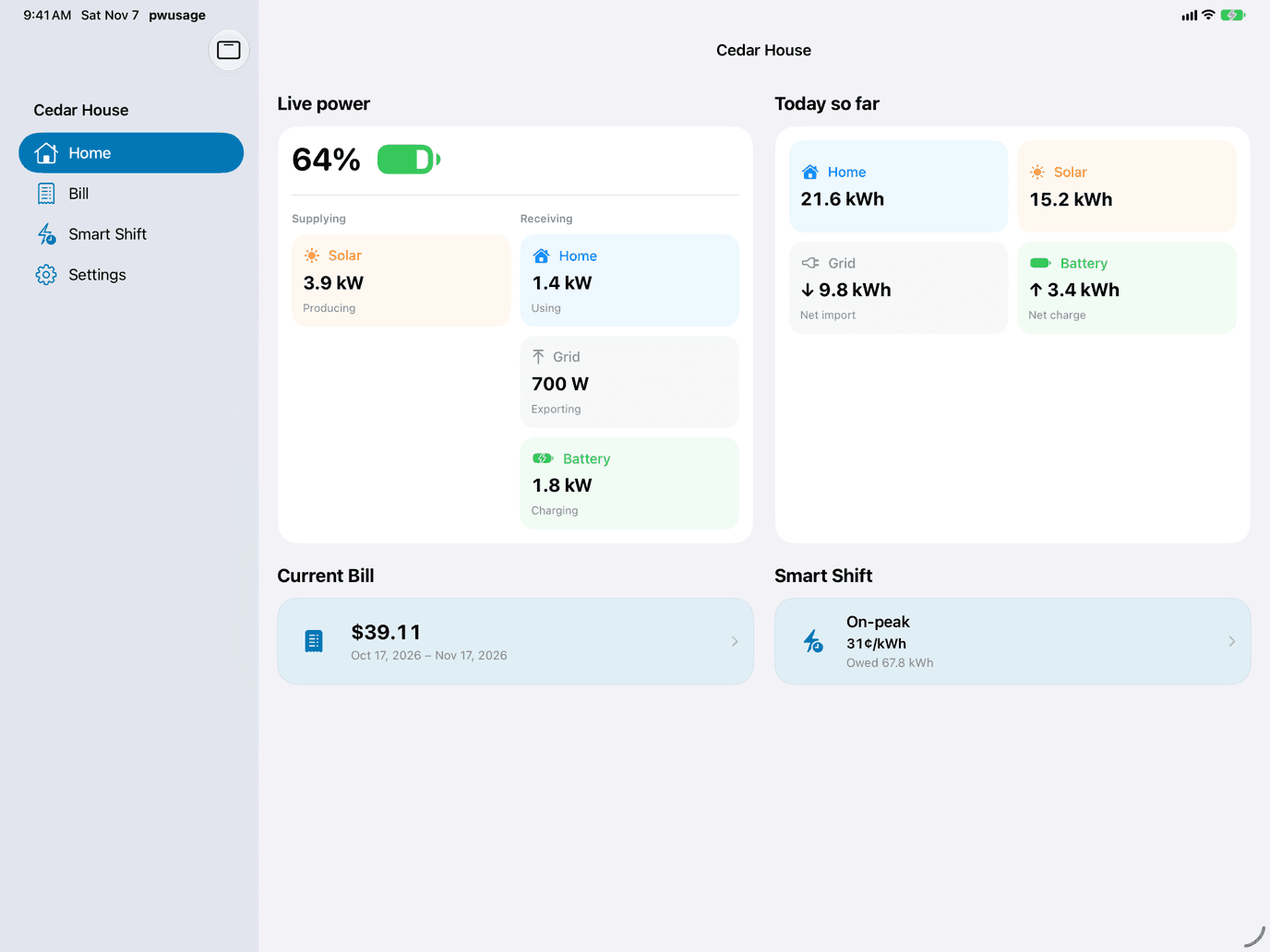
What’s in the app
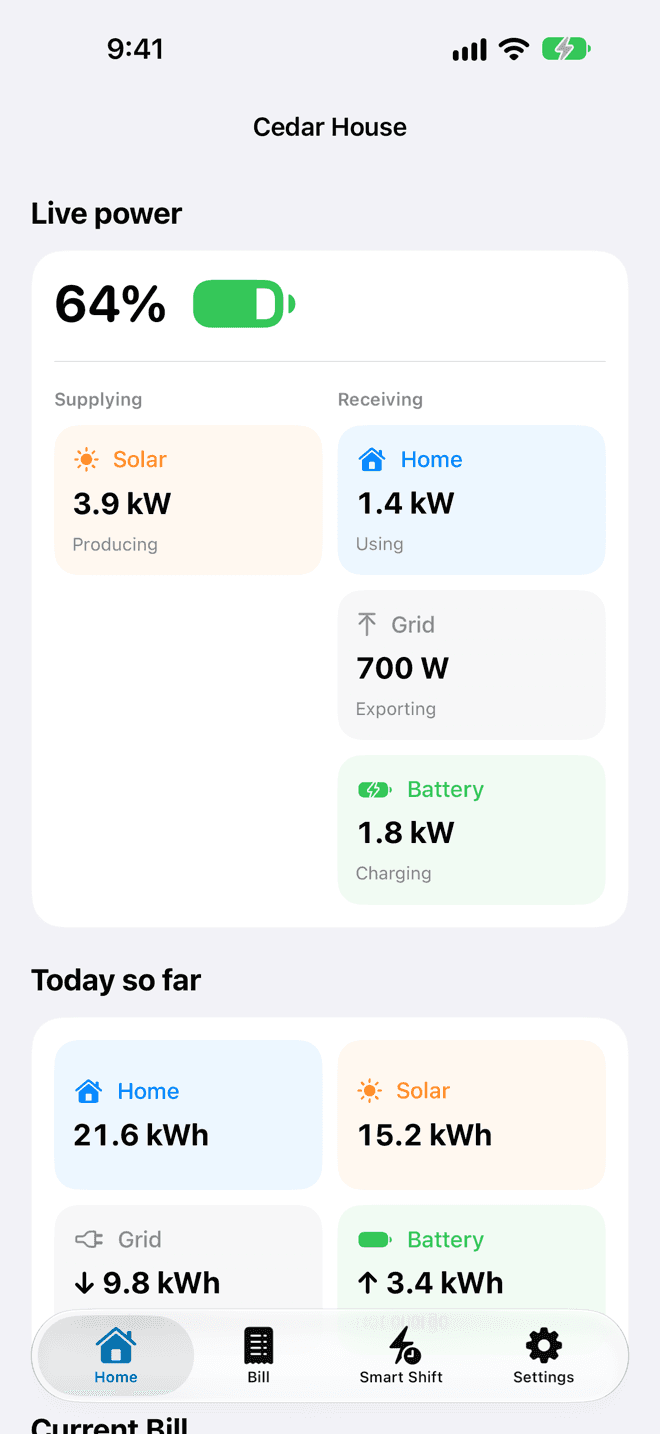
Live power
See what your solar, Home, grid and Powerwall are doing right now, and how today adds up.
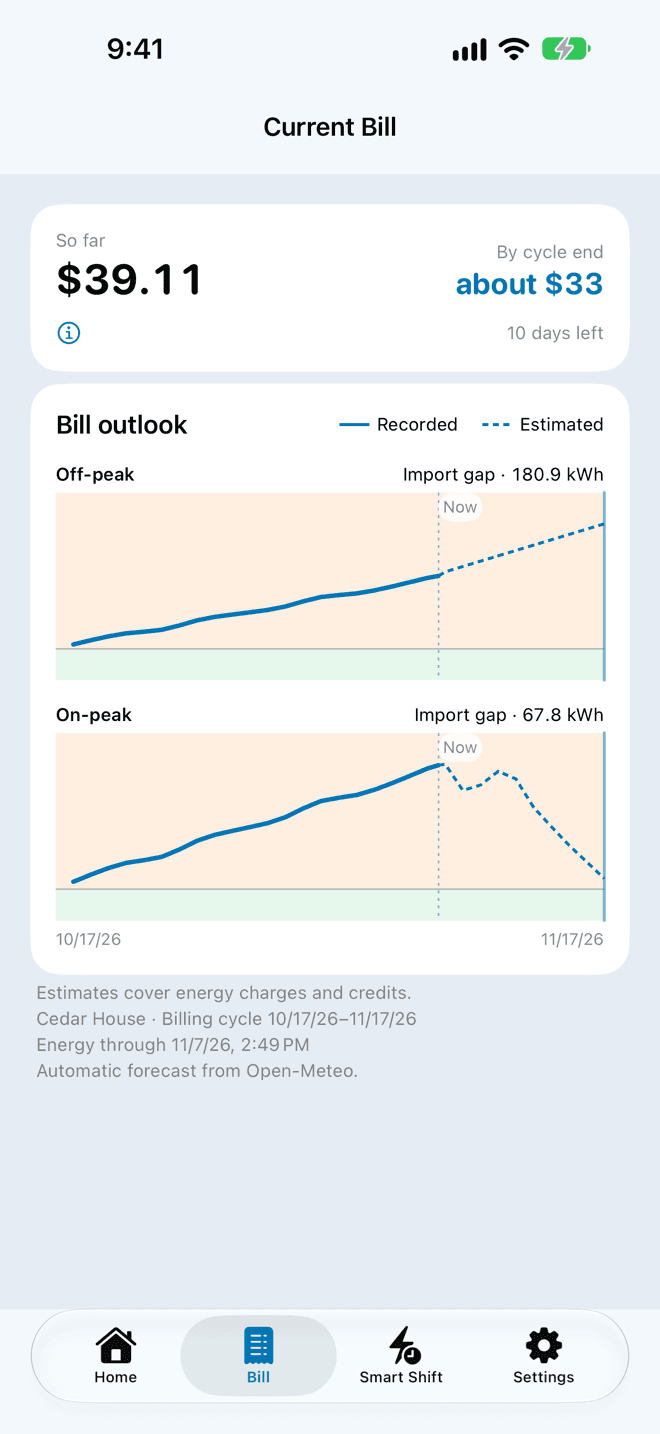
Your bill, so far
Follow your bill through the billing cycle, with an estimate for the end of it by rate period.
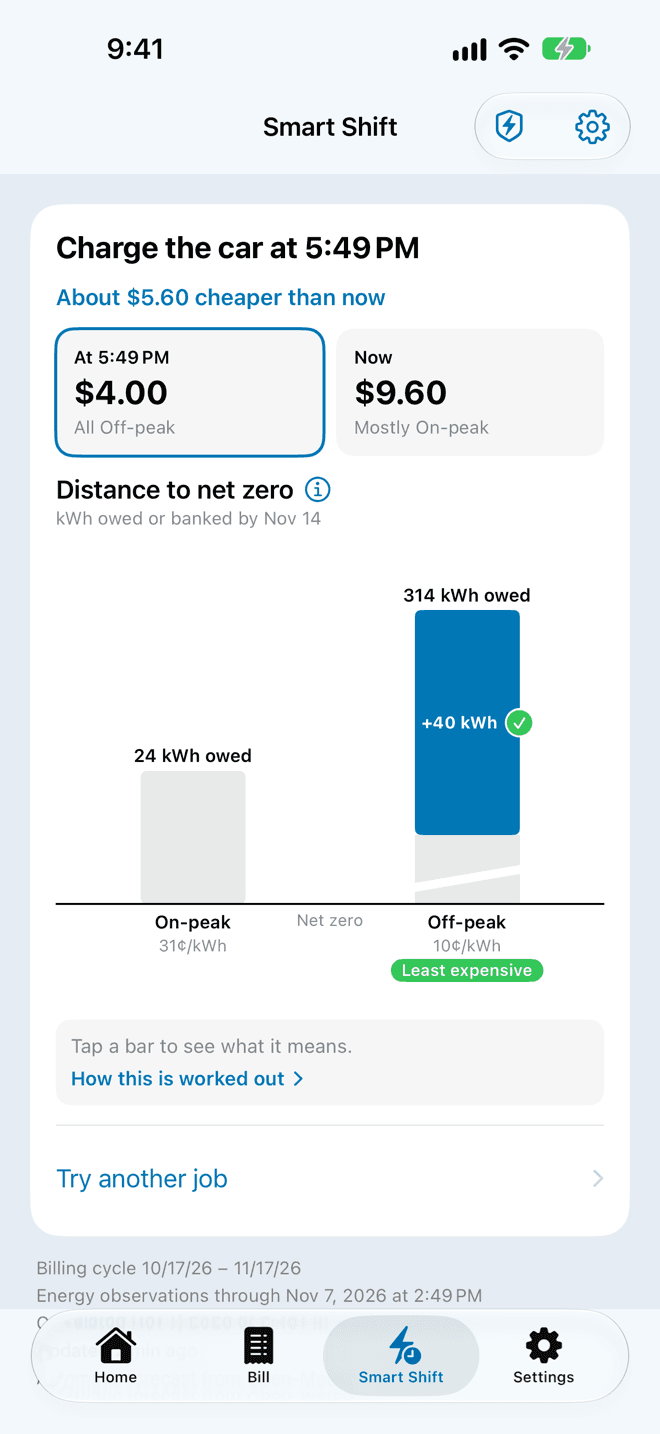
Smart Shift
Find the cheapest time to start a job, like charging the car, and about how much you save.
- Battery Saver
- Saves your Powerwall charge for when rates spike, then restores your previous backup reserve.
- Widgets and Live Activities
- Today’s energy on your Home Screen, and Battery Saver on your Lock Screen while it runs.
- Control Center
- Turn Battery Saver on or off without opening the app.
- iPhone and iPad
- Runs on iOS and iPadOS 18 or later.
How to join the beta
- Install TestFlight from the App Store on your iPhone or iPad.
- Open the beta invite on that device, then tap Accept and Install.
- Open pwusage and sign in with the same Tesla account you use on this site.
No Tesla account yet? Tap Try the Demo on the sign-in screen to explore a sample home.
About the beta
This is a test version, so expect rough edges. TestFlight lets you know when a new build is ready.
Send feedback from TestFlight, on Discord, or by email at support@fm.rodeo. The support page lists what to include in a report.